- Open Registry Editor
– Press “Ctrl + R”, type “regedit” and press “OK”. - Navigate to Computer\HKEY_LOCAL_MACHINE\SOFTWARE\Policies\Microsoft\
– Right-click the blank space in the right-hand pane to create the key-subfolders “Power” and “PowerSettings” via “New > Key”.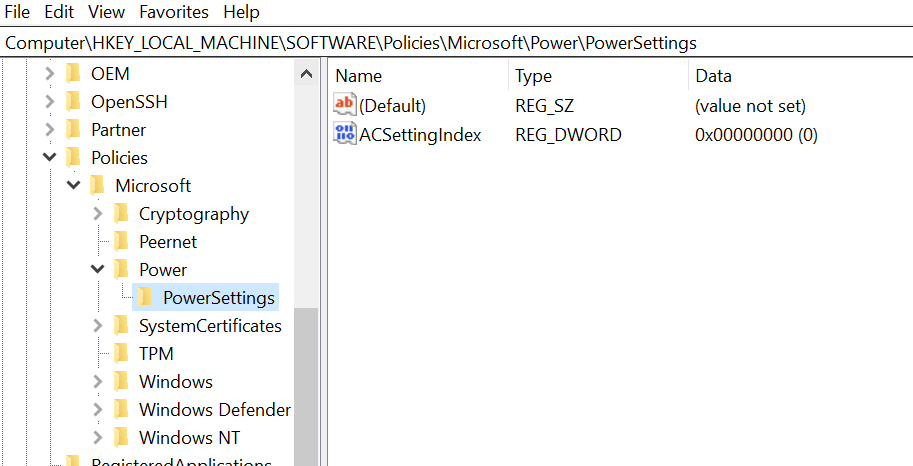
- Inside this key create a new DWORD
– In your new key/folder, right-click the blank space and select “New > DWORD (32-bit) and enter ACSettingIndex and change its value data to “0”.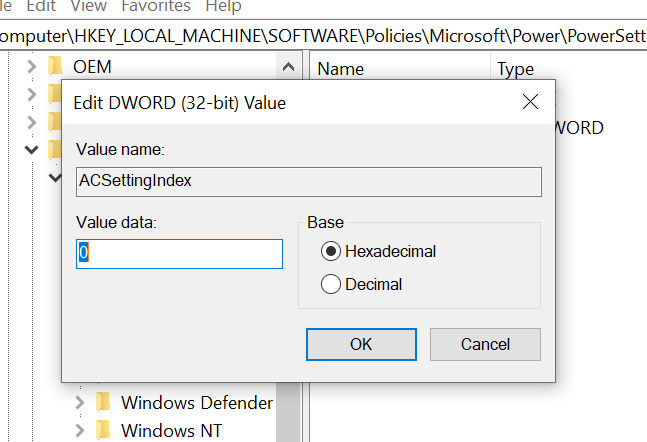
- Restart your computer to apply the changes.